Applications
The application, already filled in.
Save your answers one time: what you sell, your setup, power, insurance and permits. Vendorbound puts them into each organizer’s form and keeps track of every application.

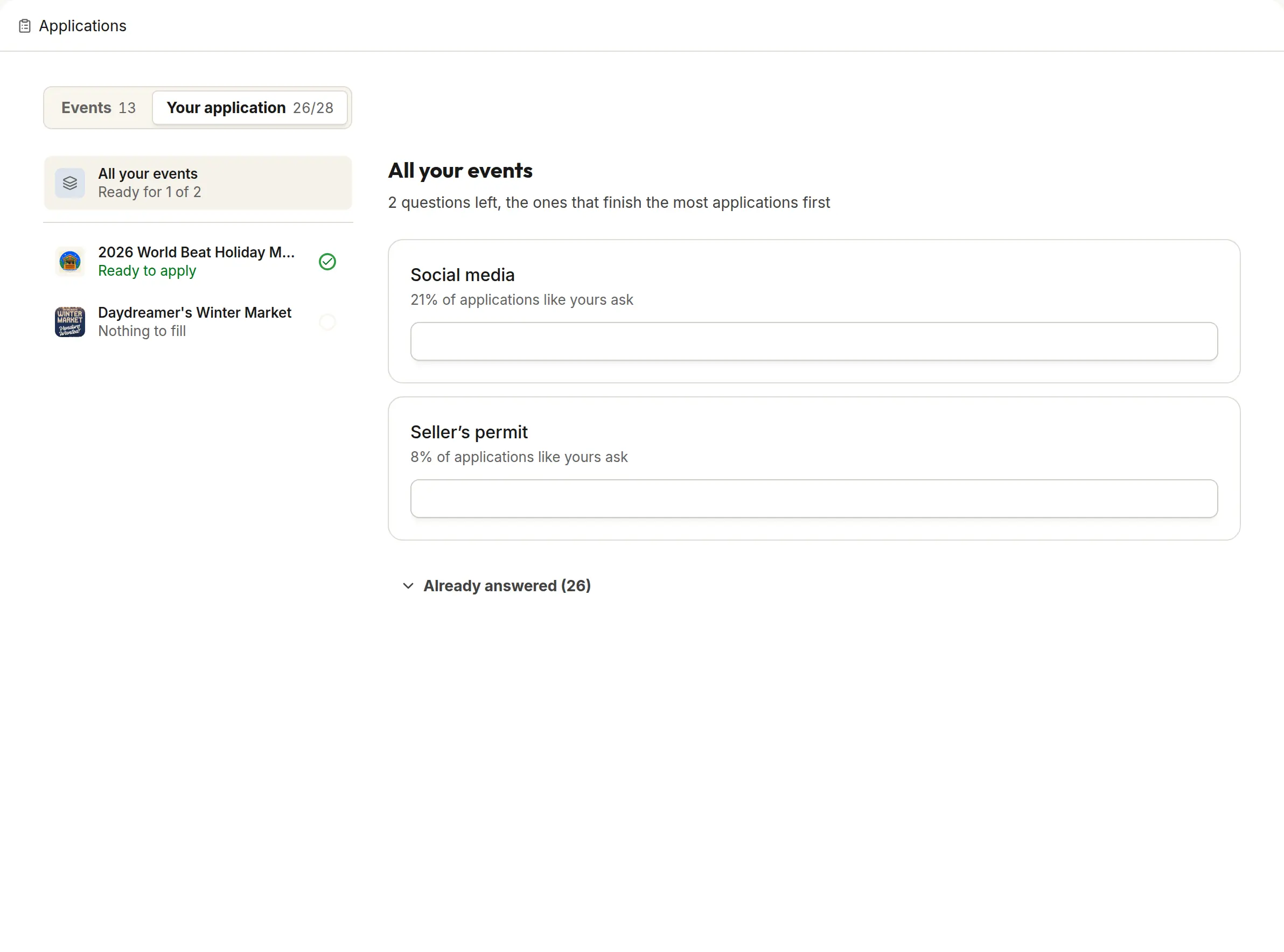
Your answers, saved
Answer the questions organizers ask once. Every application after that starts from those answers.
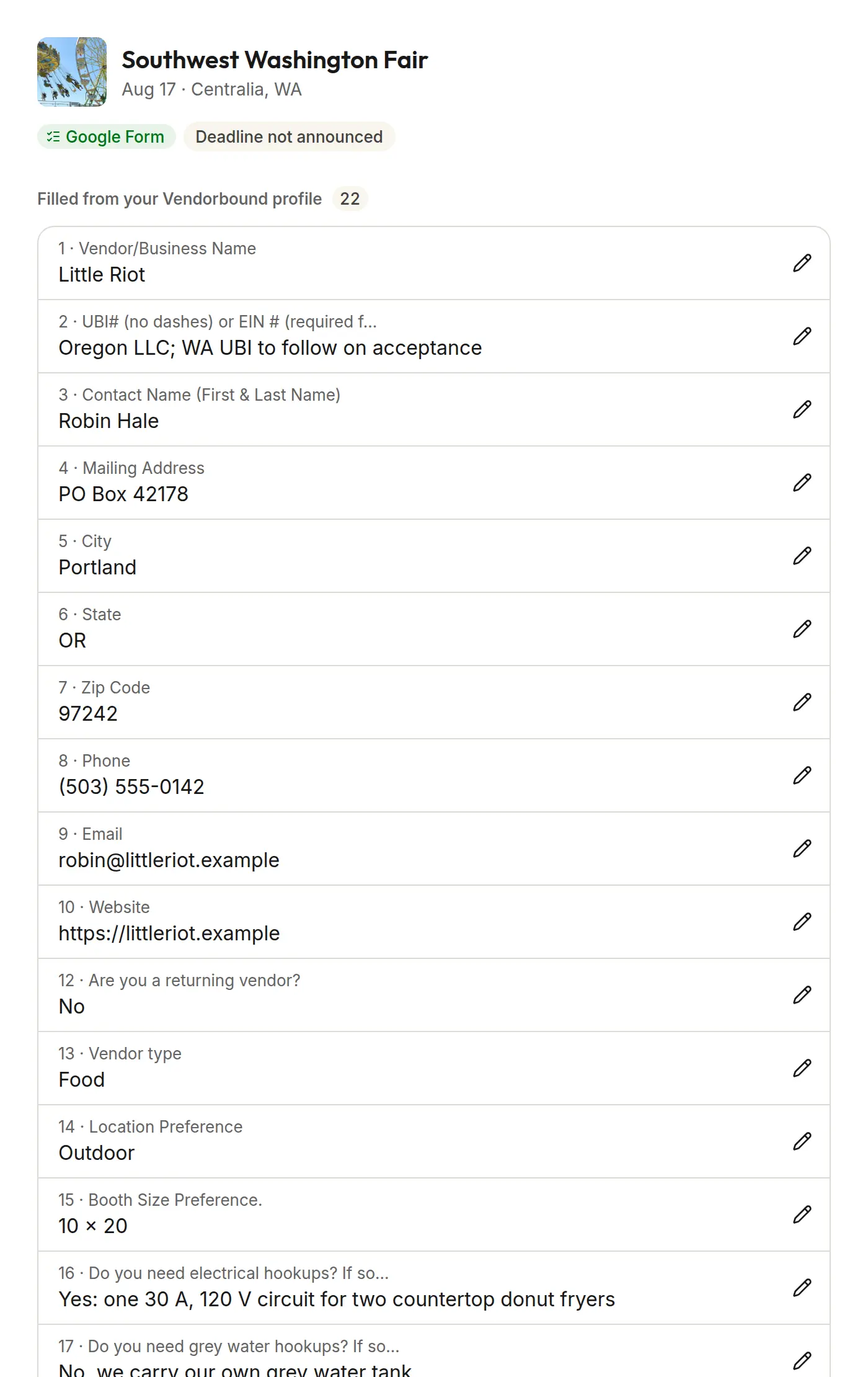
Google Forms and PDFs, filled in
Google Forms open with your answers in place. PDF applications come back filled. Other forms open beside your answers, ready to copy.
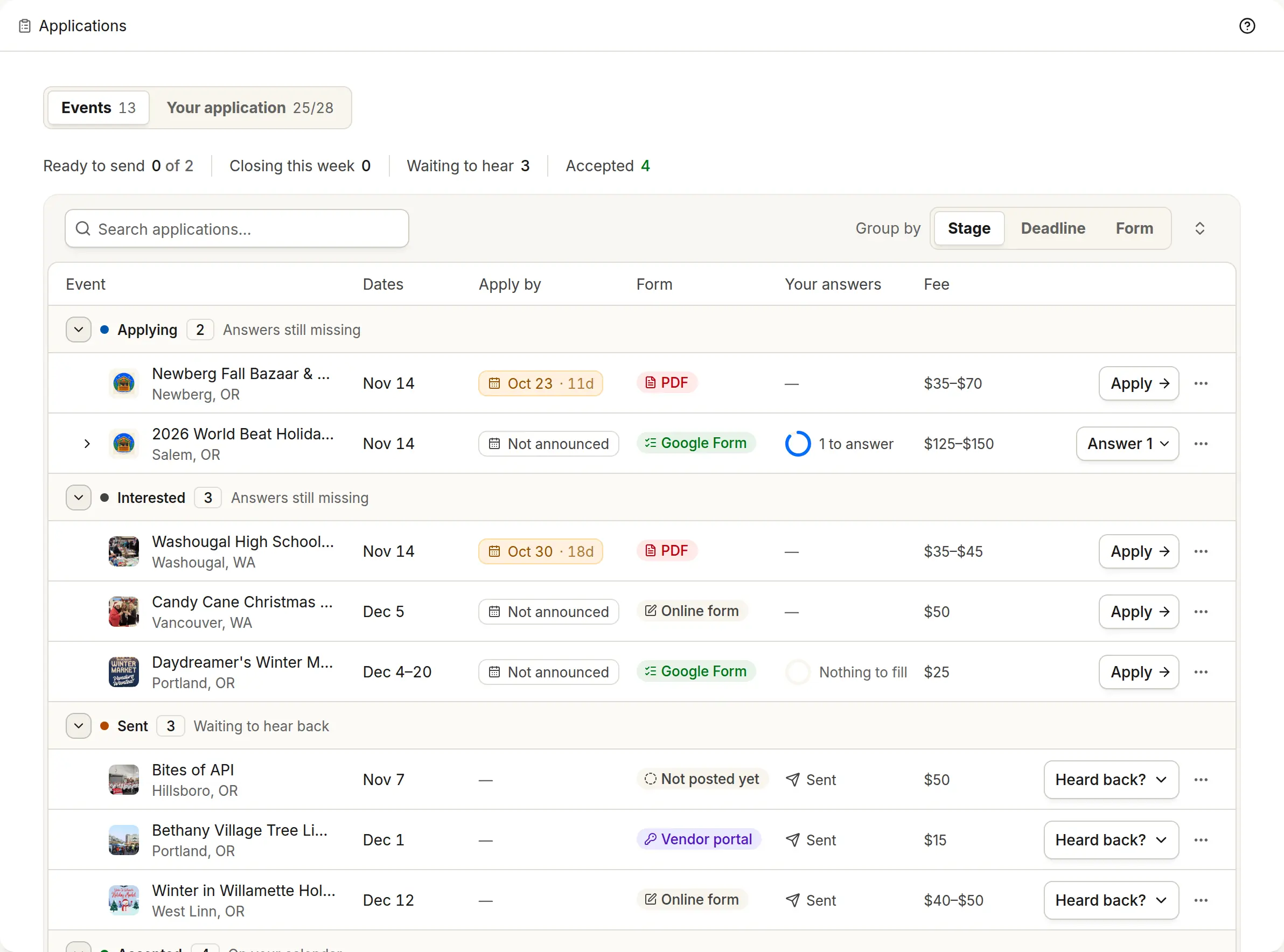
Where each application stands
See each one by stage, from Interested to Applying, Sent and Accepted, or by deadline, so nothing closes on you.
Works with the rest of Vendorbound
Events
Find eventsApply straight from an event you found.Calendar
Plan your seasonMark an application Accepted and the event moves to Confirmed on your calendar.Website
Your websiteA site that says where you’ll be next.Social
Social postsA post for every show, on Facebook and Instagram.Money
Sales by eventWhat each event earned, from your Square sales.
Questions about Applications
Does Vendorbound send the application for me?
You send it. Vendorbound fills in what it can from your saved answers and shows what’s left, and you look it over and submit it to the organizer.
What if an organizer takes applications on Vendorbound?
Then you apply right there, and the organizer gets your saved answers.
Which forms can it fill?
Google Forms and PDF applications are filled for you. For other forms, your answers sit beside the form so you can copy them in. How autofill works.

Start with your business page
Paste your Instagram, Facebook or website and Vendorbound sets up your business, then shows the events that fit.