Calendar
Your markets on a calendar, each with its to-do list.
See every event you’re considering, applied to and confirmed, by month, by week or as a list. Each one keeps its own to-dos, notes, posts and sales.

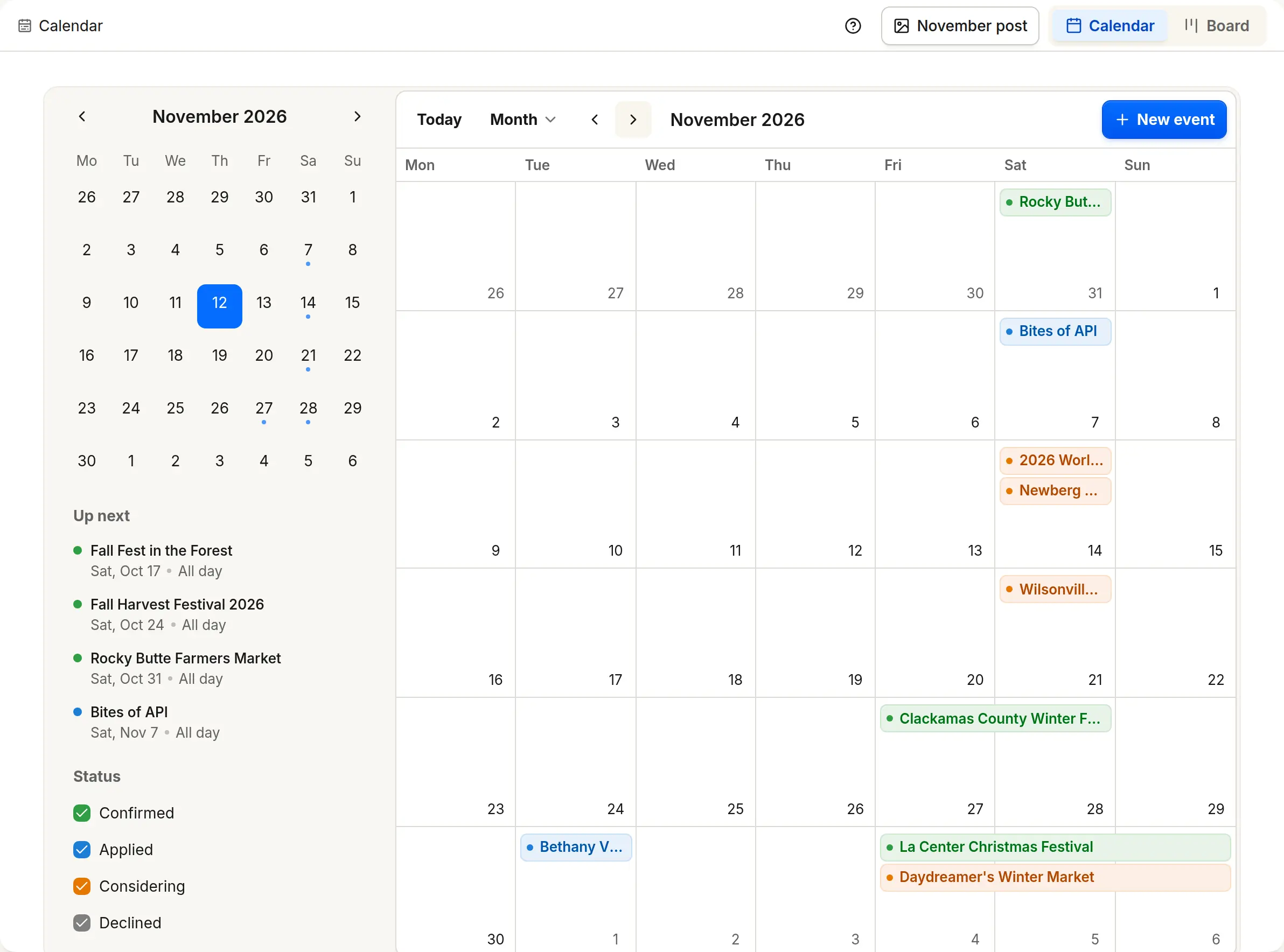
Considering, Applied, Confirmed
Each event carries its status, and an accepted application moves it to Confirmed. Events without dates wait under Needs dates.
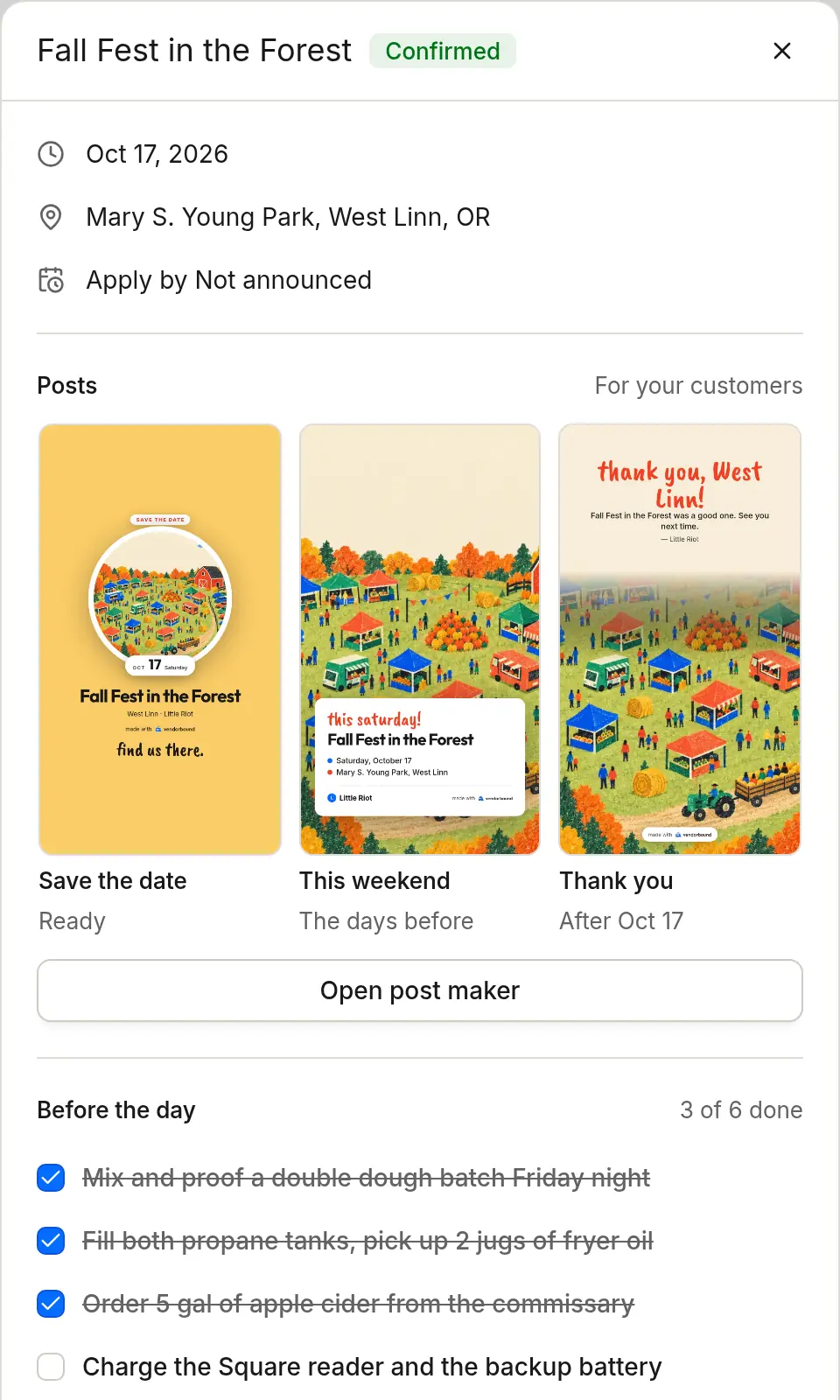
What to pack and send before the day
A checklist for each event: send the insurance certificate, bring the health permit, pack the tent weights, get change for the cash box, confirm load-in time.
Also in Calendar
Notes only you see
Keep the parking spot, the contact who helped and what sold out, on the event where you’ll look for it next year.
Works with the rest of Vendorbound
Website
Your websiteConfirmed events show up on your website under Where you’ll be.Social
Social postsConfirmed events get their posts: Save the date, This weekend and Thank you.Money
Sales by eventWith Square connected, each event shows what it sold.Events
Find eventsMarkets, fairs and festivals that fit what you sell.Applications
Apply fasterOne set of answers for every application.
Questions about Calendar
Can I add events Vendorbound doesn’t list?
Yes. Add any event to your calendar with its dates, and it gets the same to-dos and notes.
Does it work on a phone?
Yes. Vendorbound works in your phone’s browser, with the same calendar you see on a computer.

Start with your business page
Paste your Instagram, Facebook or website and Vendorbound sets up your business, then shows the events that fit.